
Combine the contract price with approved change orders.
Free Excel download
Know what the job actually made.
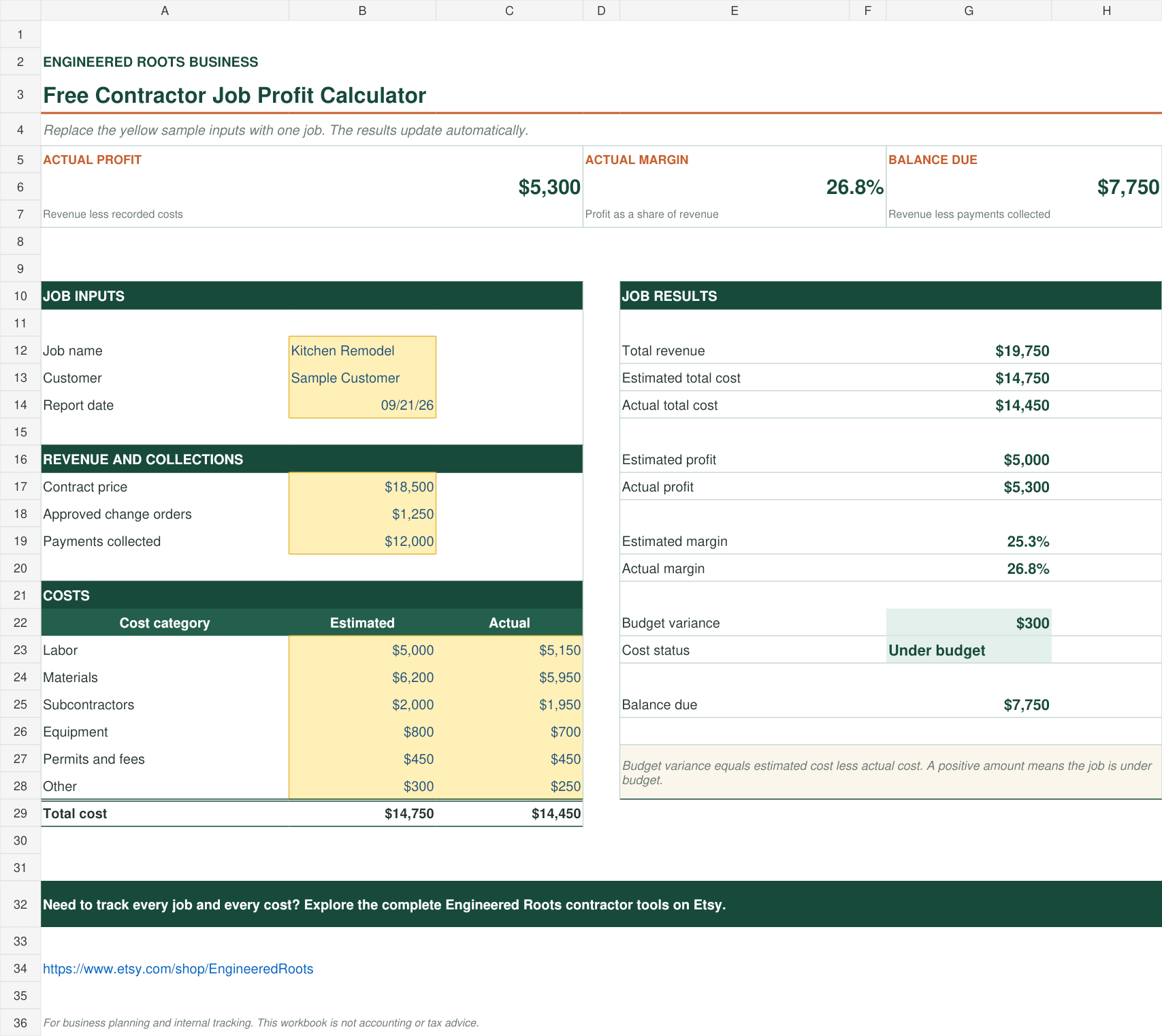
Compare estimated and actual job costs, calculate profit and margin, check budget variance, and see the remaining balance due—all in one straightforward Excel worksheet.
No macrosNo subscriptionMicrosoft Excel
One job. Clear numbers.
The essential numbers before the next job starts.
Compare labor, materials, subcontractors, equipment, permits, and other costs.
See estimated profit and actual profit from the same inputs.
Review profit as a percentage of the job’s total revenue.
Know immediately whether actual cost finished above or below estimate.
Compare total revenue with payments collected so far.
How to use it
Replace the sample numbers and let Excel do the rest.
Enter the job details.
Add the contract price, approved change orders, and payments collected.
Compare cost by category.
Replace the sample estimated and actual costs in the yellow cells.
Review the result.
The workbook updates profit, margin, budget variance, and balance due automatically.
Need to track every job and every cost?
The complete Engineered Roots Job Cost & Profit Tracker manages up to 100 jobs and 500 cost entries, with job-level dashboards and monthly results. The Contractor Business Toolkit also includes lead tracking and estimate tools.